What are best practices when setting up SDAs?
Last updated: September 2, 2026
Integration Considerations
Smart Deposit Addresses can be integrated with minimal development effort. When using the SDK, SDA creation typically requires only a single function call, allowing you to get started quickly without complex setup.
To ensure a smooth user experience, integrate webhooks to receive real-time updates on deposit detection and processing status. This allows your system to react immediately to incoming transactions and keep users informed throughout the flow.
You should also account for the timing gap between when a quote is shown and when a deposit is actually made. Market conditions or fees may change during this window, so your integration should be designed to handle potential discrepancies gracefully.
By addressing these considerations early, you can ensure a reliable, transparent, and responsive integration experience for your users.
Generate addresses on demand, not in bulk
When Rhino.fi initially generates a Smart Deposit Address, monitoring must be set up on it to check for incoming deposits. This ensures that the necessary swapping and/or bridging activity can take place once funds are received into the address. Rhino.fi therefore pre-generates many SDAs so that this monitoring can be set up in advance of any activity into them. These pre-generated addresses are then allocated to clients at the point of need. This enables you to create new SDAs on demand — whenever your customer is ready to make a deposit — without the need to generate during the customer onboarding stage or in bulk batches.
Best practice: create an SDA only when a user actively requests a deposit address — for example, when they open your deposit screen — rather than automatically for every new sign-up. In most products, a significant share of registered users never make a deposit, so generating by default consumes your plan's SDA allowance without any benefit. The on-demand approach keeps your address inventory clean, reduces operational overhead, and ensures that every address is tied to an active, traceable user action.
For that reason, we ask our clients to generate new SDAs only when customers specifically request them, in favour of bulk generation for many customers at once. Bulk generation in a short window also delays monitoring setup on the new addresses, which can temporarily slow deposit detection.
This ensures your customers can begin transacting using SDAs immediately.
Understand your SDA limits
Your plan includes two limits to be aware of when designing your integration:
An hourly creation rate limit (default 3,000 SDAs/hour in production)
A total SDA allowance (dependent on your subscription tier)
Each chain counts as a separate SDA against both limits — a single request covering 7 chains consumes 7 SDAs. Extending an existing SDA to additional chains with "reusePolicy": "reuse-existing" does not count against the creation rate limit.
Generating on demand (see above) and reusing SDAs per user (see below) will keep most integrations comfortably within these limits. If your expected usage exceeds your plan's allowance, speak to your Rhino.fi account manager about the right plan for your volume.
Full details: SDA Creation Rate Limits — What You Need to Know
Enable all EVM chains right from the start
When constructing your depositChains array for EVM chains, create SDAs on all supported chains immediately, as they will have the same address across all EVM networks
This enables your customers to send stablecoins from as wide array of chains as possible and reduces deposit drop-off.
If you want to add additional EVM chains at a later stage, define the param "reusePolicy": "reuse-existing" and add the additional chains to the depositChains array. All other params need to be identically as with the initial SDA creation call
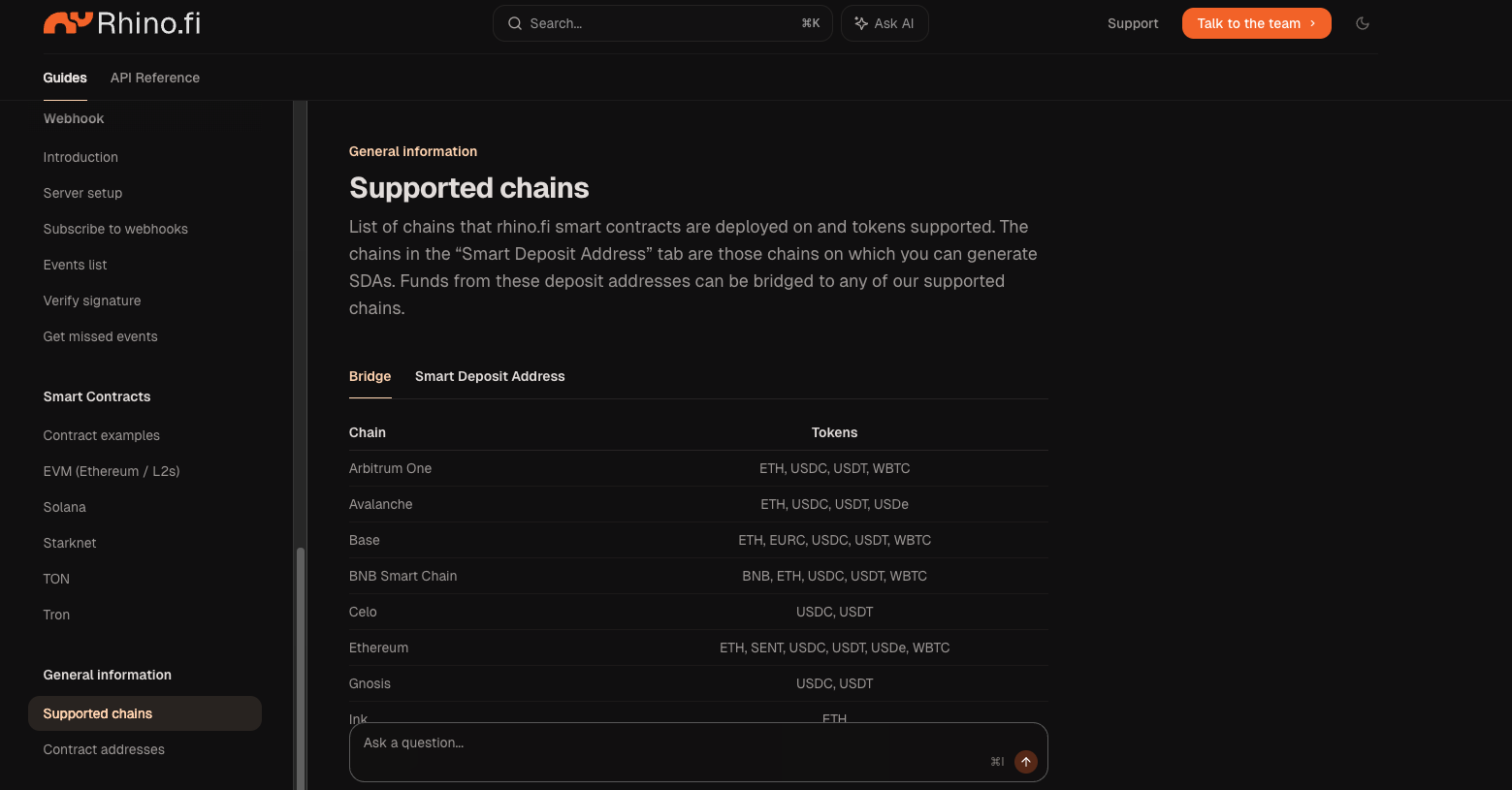
The list of supported chains can be found here: https://docs.rhino.fi/general/supported-chains
One key technical constraint: EVM chains and non-EVM chains (currently Solana and Tron) cannot be mixed in the same depositChains array, as address formats differ. Make separate SDA requests per address type if you need to support both.
Reuse SDAs per User
Smart Deposit Addresses are designed to be reused across multiple transactions. Instead of generating a new address for every deposit, create one SDA per user and continue using it over time.
SDAs remain active for 10 years by default and can always be re-activated beyond this period. For all practical purposes, SDAs function indefinitely.
Reusing addresses reduces operational overhead, minimizes system load, and ensures that monitoring remains continuously active without interruption.
By following this approach, you maintain a clean and efficient setup while providing a consistent deposit experience for your users.
Use Address Notes for User Mapping
When creating a Smart Deposit Address, use the addressNote parameter to store your internal client or user ID (up to 80 characters). This allows you to associate each SDA directly with a specific user at creation time.
By leveraging this parameter, you can later query and retrieve SDAs based on your client ID without maintaining a separate mapping in your own system.
This simplifies your architecture, reduces the need for additional storage, and ensures you can always resolve the correct deposit address for each user efficiently.
Choose the Right Mode
When creating a Smart Deposit Address, you need to decide whether to use bridge mode or tokenOut mode. This choice determines how incoming funds are handled and must be defined at the time of SDA creation.
In bridge mode, the original token is preserved and transferred to the destination chain as-is. In token-out mode, incoming funds are automatically swapped into a specified token before being delivered.
As this setting cannot be changed after the address is created, it is important to align the selected mode with your product requirements and user expectations upfront.