How to check a transaction status within the Console
Last updated: July 17, 2026
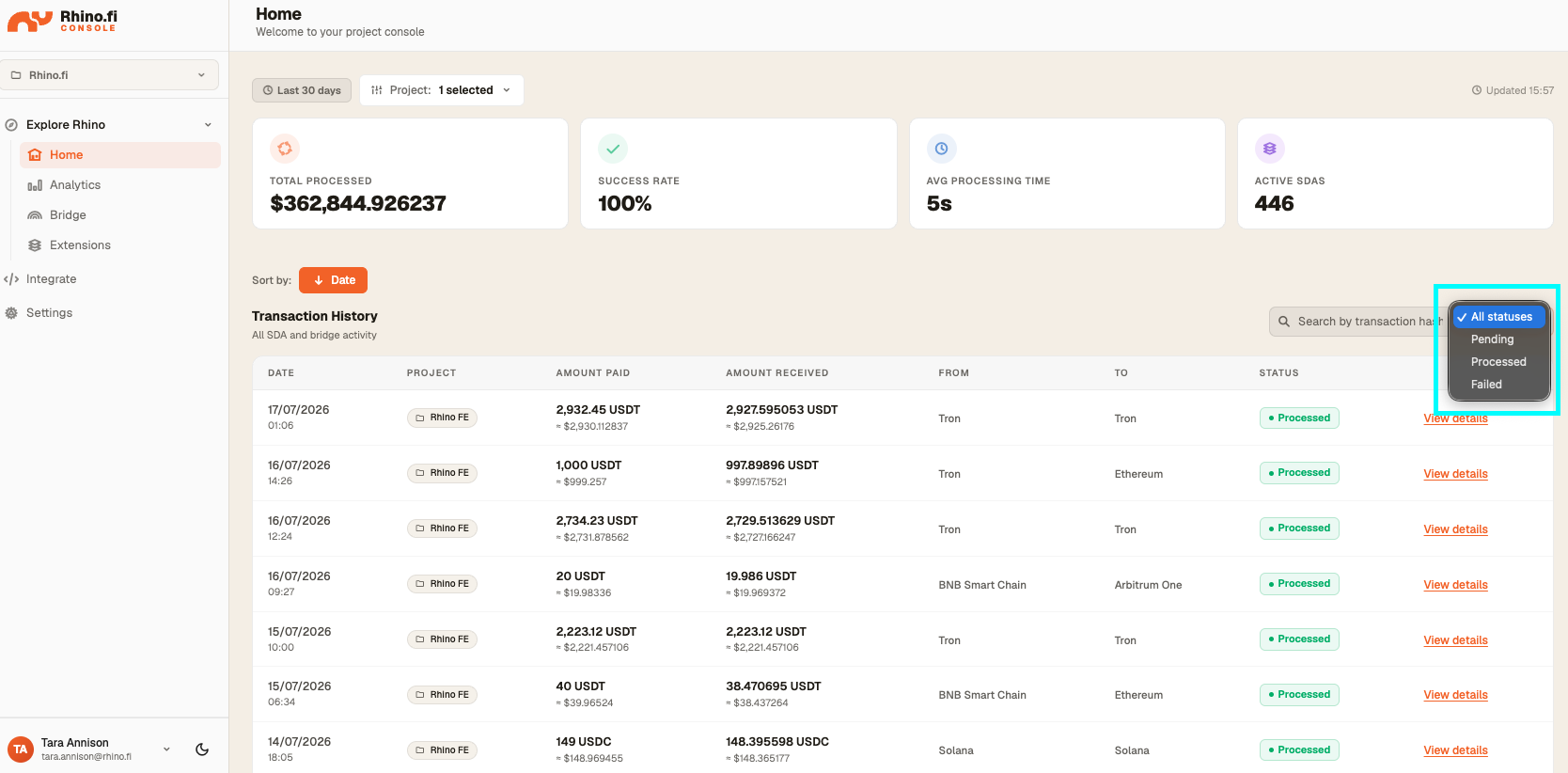
The 'Home' page within the Console contains information about top line metrics about your organization's Rhino.fi use, such as: Total $ processed, transaction processing success rate, average transaction processing time, and the number of active Smart Deposit Addresses.
It also contains a full transaction history with detailed information about all Bridge+Swap and Smart Deposit Address.
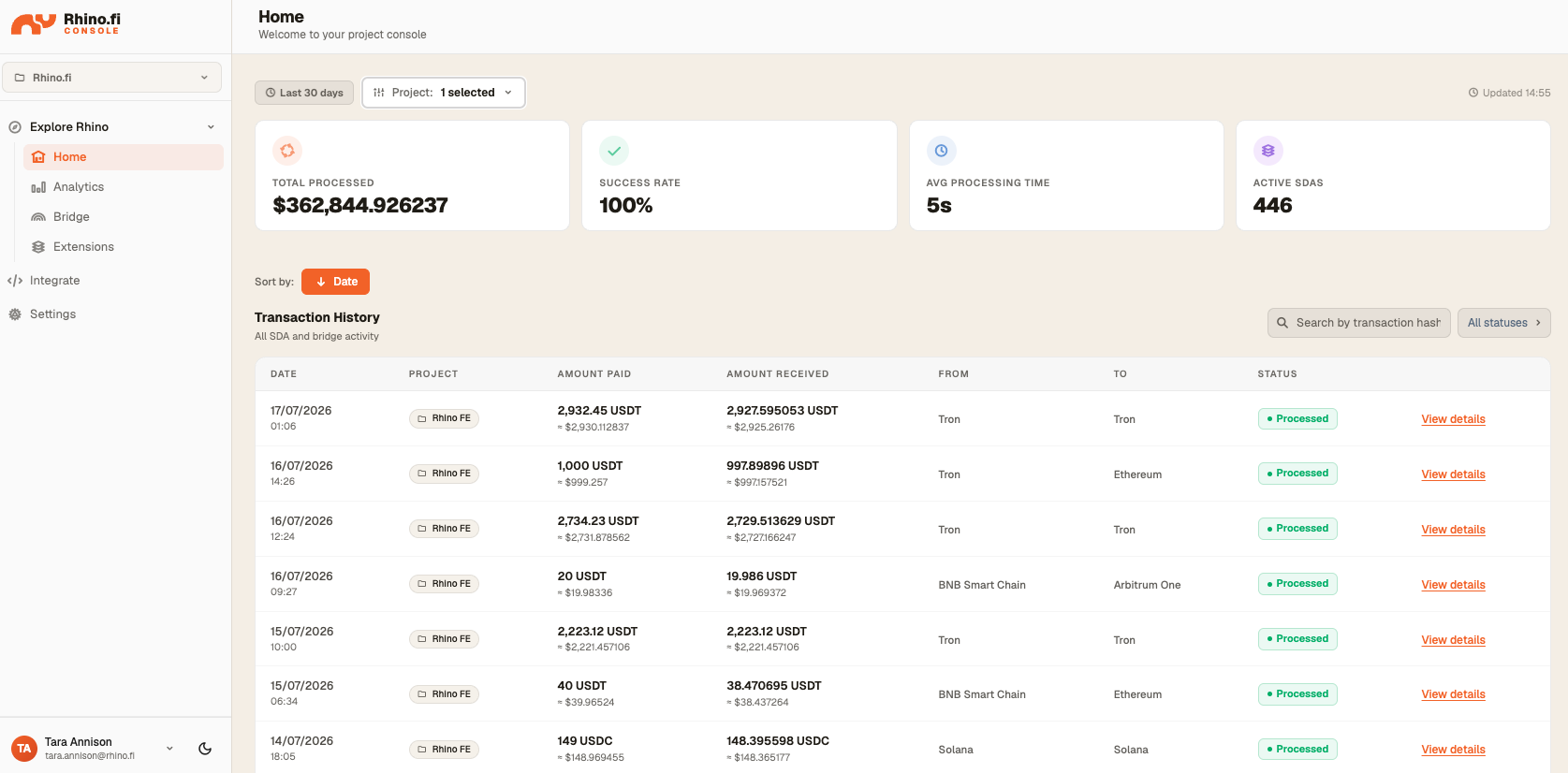
Viewing Transaction Details
The transaction history table shows the key details of the transaction, including; amount and asset sent on the source chain and amount and token received on the destination chain, and the status of the transaction.
By selecting 'View Details', more information about the transaction including; depositor address, recipient address, fee information and transaction hashes are available.
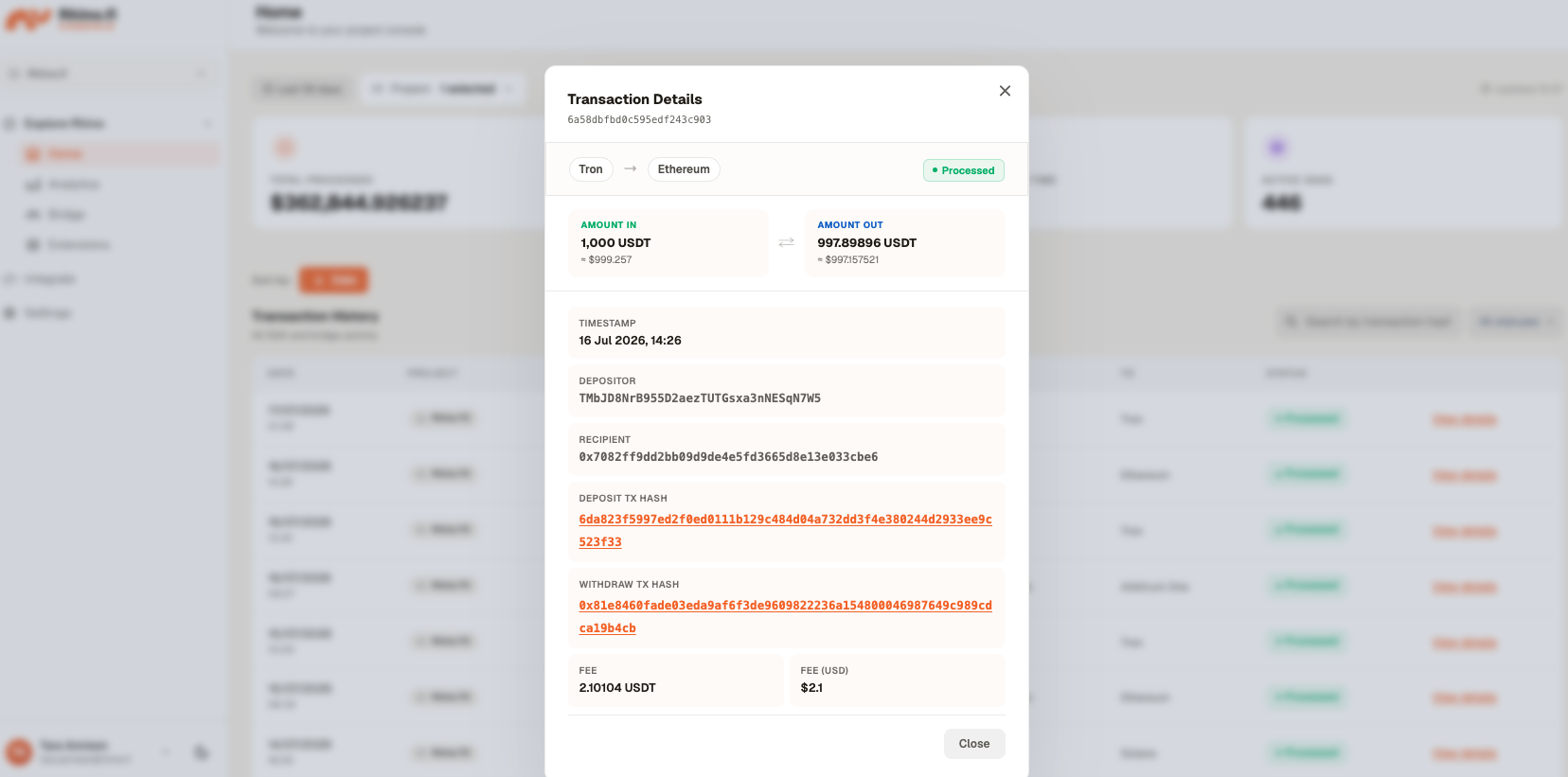
If a transaction has been successfully processed by Rhino.fi then the status shown will be: processed
If the transaction has not yet been processed, then the status shown will be: pending
If the transaction has been unsuccessfully processed by Rhino.fi, then the status shown will be failed. Further information on the reason for this can be provided through your Rhino.fi Account Manager.
Searching through transaction history
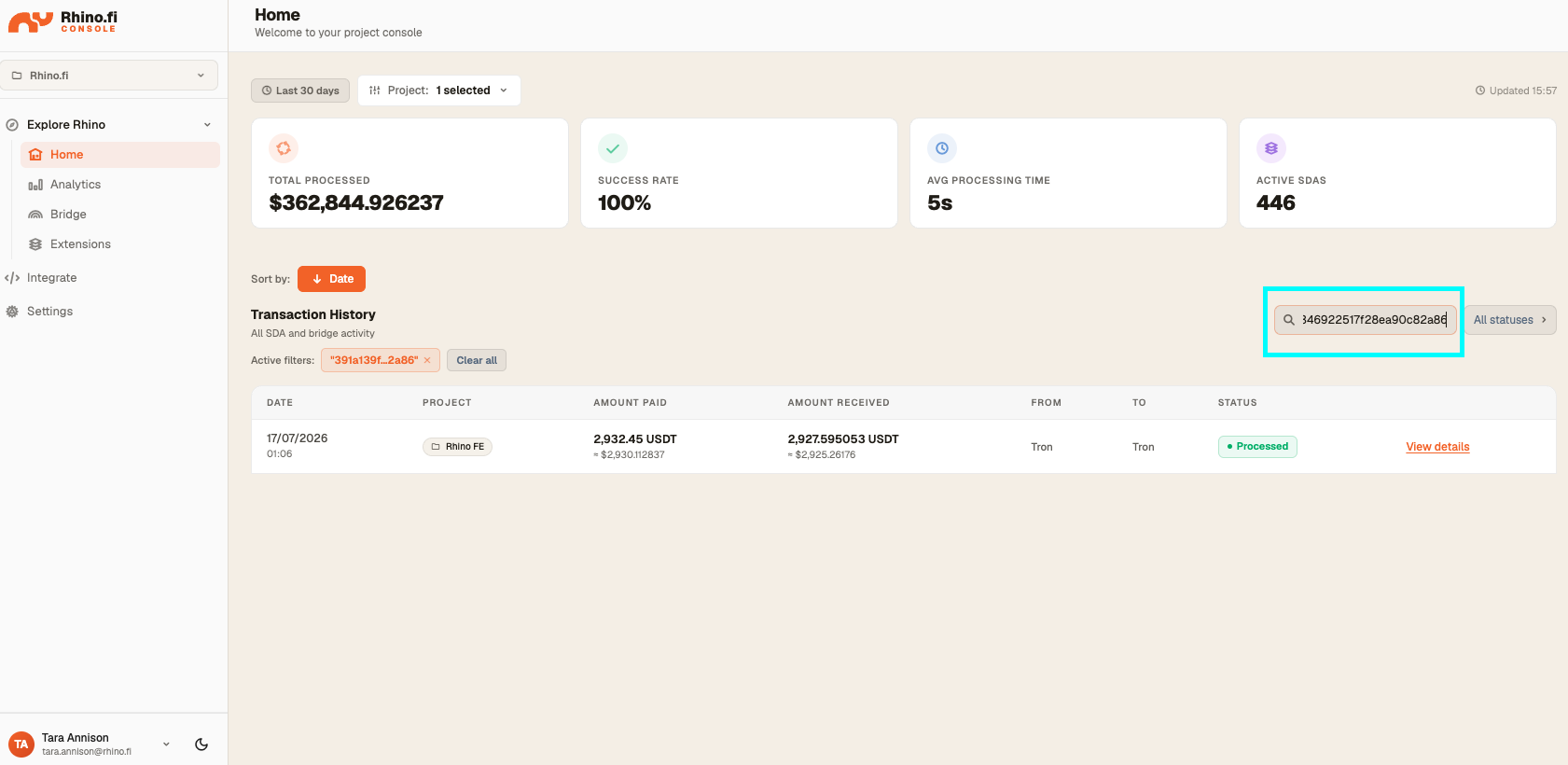
It is possible to search the transaction history by a transaction hash using the search bar at the top right of the transaction history table. This can be the transaction depositing funds into the bridge/Smart Deposit Address or the withdrawing transaction where funds are sent on the destination chain. The table will then show the results for the transaction matching this hash.
It is also possible to search the transaction history by transaction status using the filter at the top right of the transaction history table. The table will then show the results for the transactions matching this selected status.